This guide provides a step-by-step walkthrough for setting up Postman and accessing the Enterprise API Suite. By following these instructions, you can quickly start exploring and integrating with the API.
Accessing Postman workspace
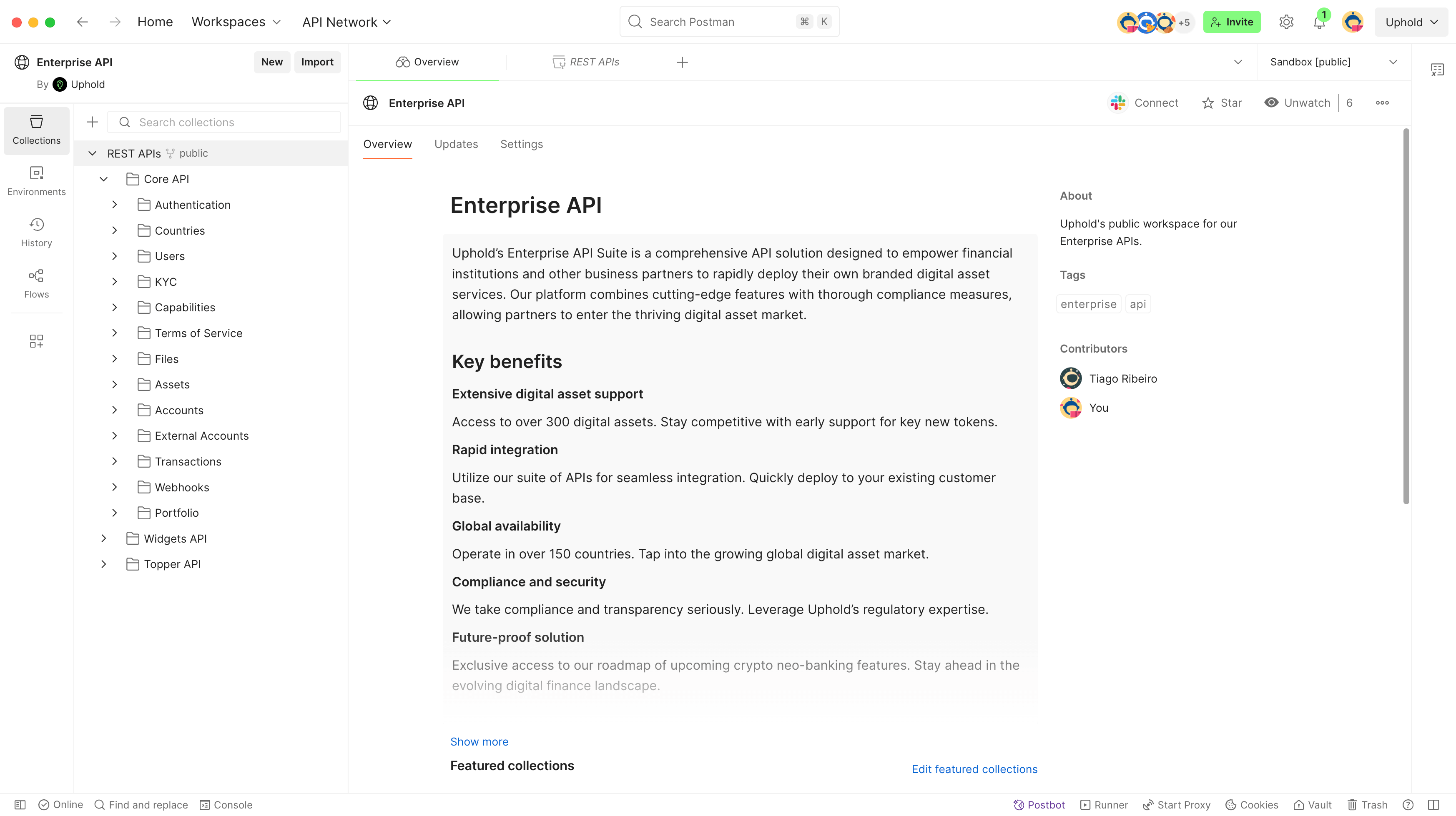
To facilitate API exploration and testing, we provide a public Postman workspace that contains collections with ready-to-use requests and a comprehensive set of examples.
Before making API requests, you must select an appropriate environment:
- Sandbox to interact with the Sandbox environment.
- Production to interact with the Production environment.
Using Postman to target Production should be avoided, as it may result in unintended changes to live data.
Setting up Sandbox
To use the Sandbox environment, you’ll need to configure your client credentials in Postman. Follow these steps:
Register in Enterprise Portal
Create your Enterprise Portal account and register your organization. If someone from your company has already created your organization, ask them to invite you.
Create a client
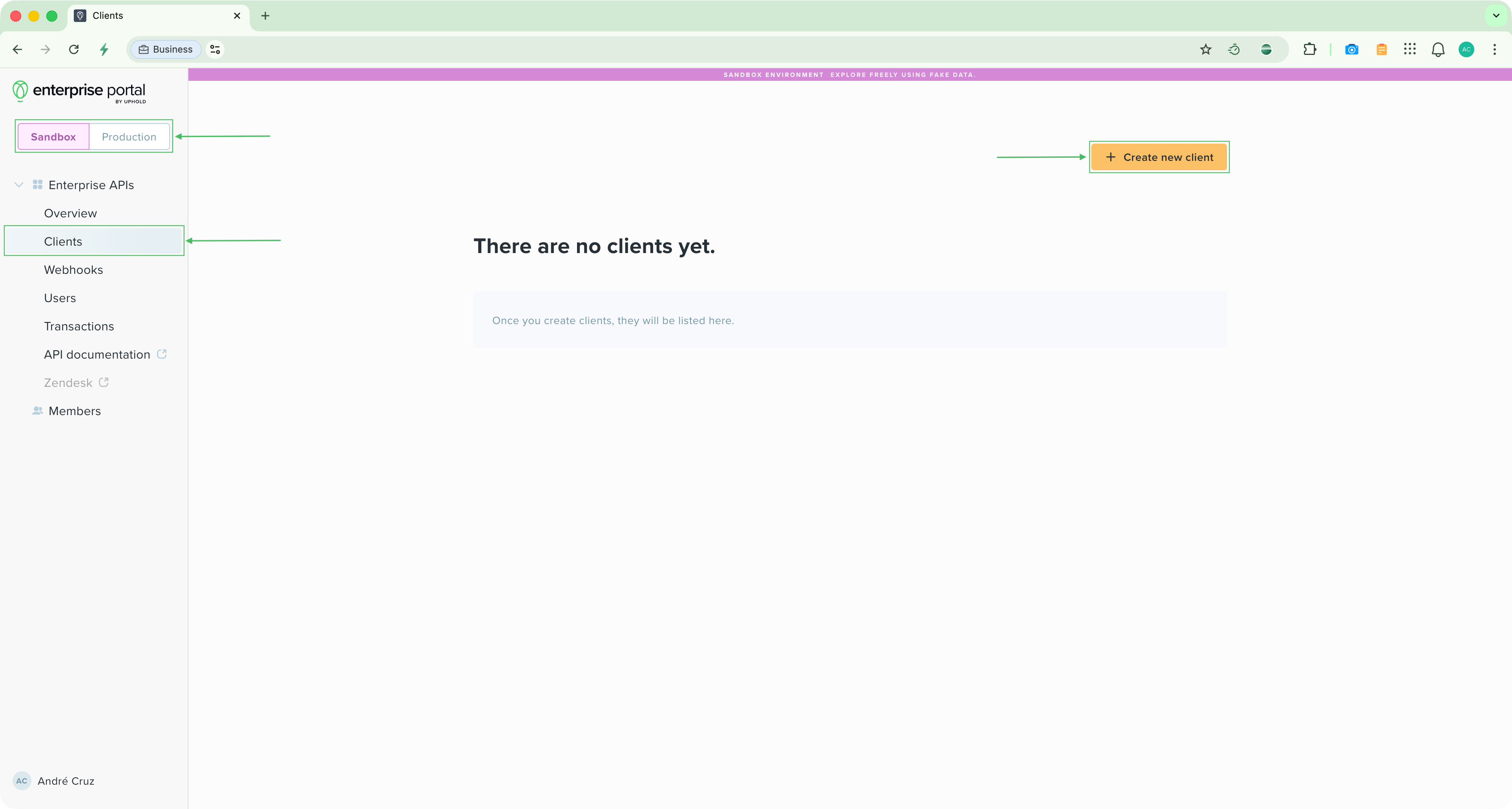
- Once logged in to the Enterprise Portal, ensure you’re in the Sandbox environment by checking the environment selector.
- Navigate to Clients and click to create a new client.
- Give it a descriptive name such as “Postman Sandbox”.
- Finally, generate a new client secret and copy both the client ID and secret.
Configure Postman environment
In Postman, configure the following environment variables with the credentials you just generated:
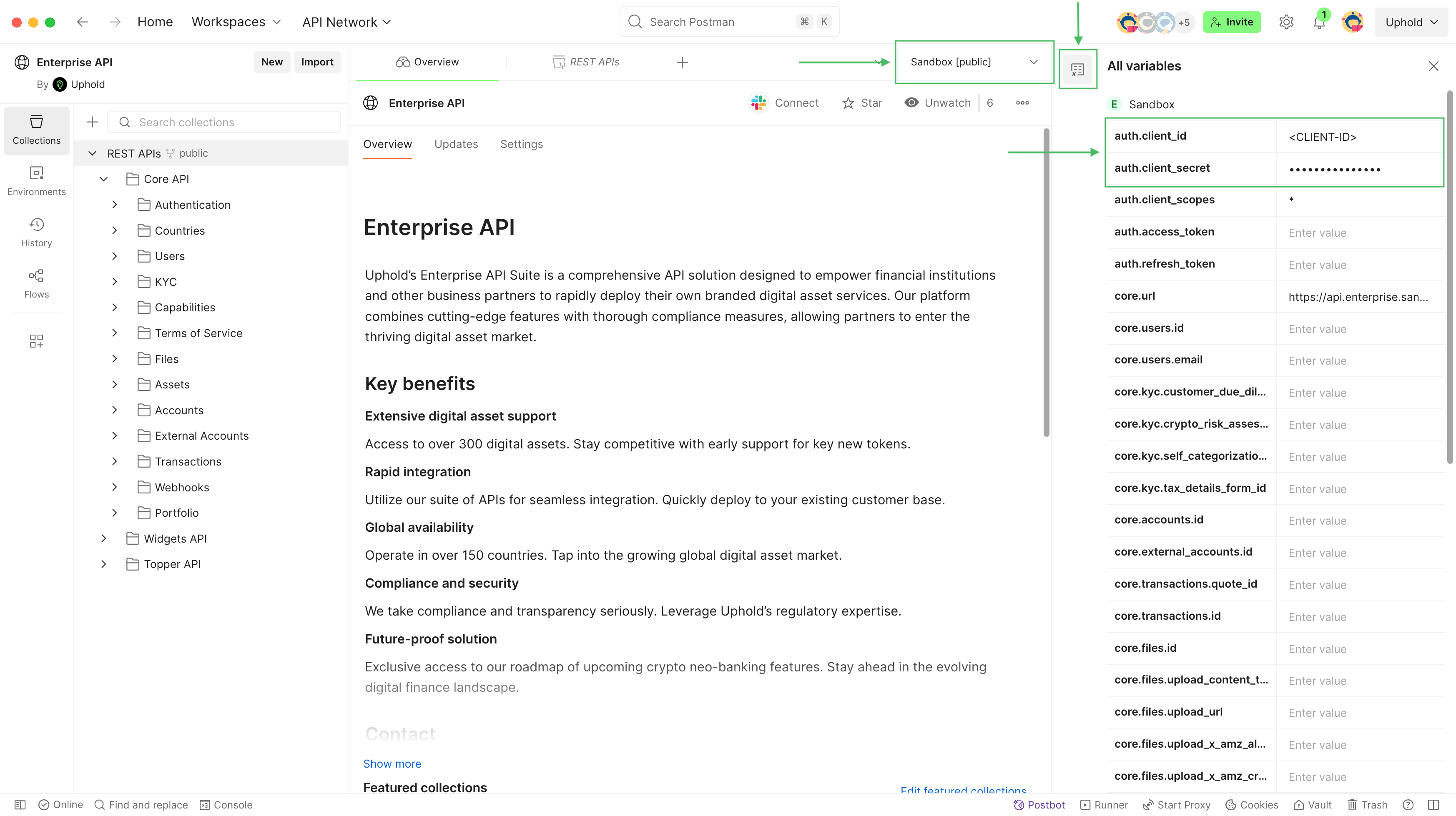
- Select Sandbox from the environment selector in the top-right corner.
- Click the Variables icon next to the environment selector to open the variables drawer.
- Set the following variables:
auth.client_id: Your client IDauth.client_secret: Your client secret
You must set the client credentials in the environment variables as shown above. Doing it through the Environments tab & screen will be disallowed since the workspace is read-only.
Next steps
You should now be able to make API requests and explore the available endpoints. Refer to the REST APIs for detailed request structures and response formats.